
SSH & Monitoring
Reach your host machine over SSH (terminal-only) and watch GPU and system metrics through Grafana — all wired up automatically by Meshive.
Open your machine on the Host dashboard. The machine box has a tab strip; the two relevant tabs are Monitoring and SSH / IPMI. Each tab is a copy-paste workflow — no setup on your side.
Monitoring tab
Section titled “Monitoring tab”Meshive ships an automatic monitoring stack on every host — Node Exporter, NVIDIA DCGM Exporter, Prometheus, Grafana, and an auth middleware in front of Grafana. The Monitoring tab is just the entry point: it shows your Grafana Username and Password, plus an Open Grafana Dashboard button.
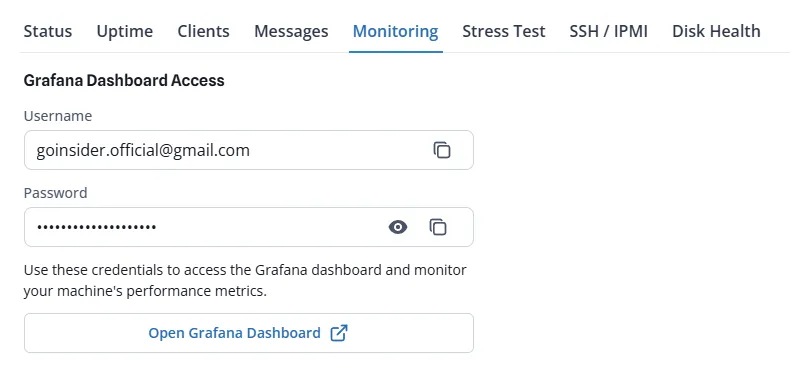
Click Open Grafana Dashboard, paste the credentials when prompted, and you land in your machine’s Grafana view.
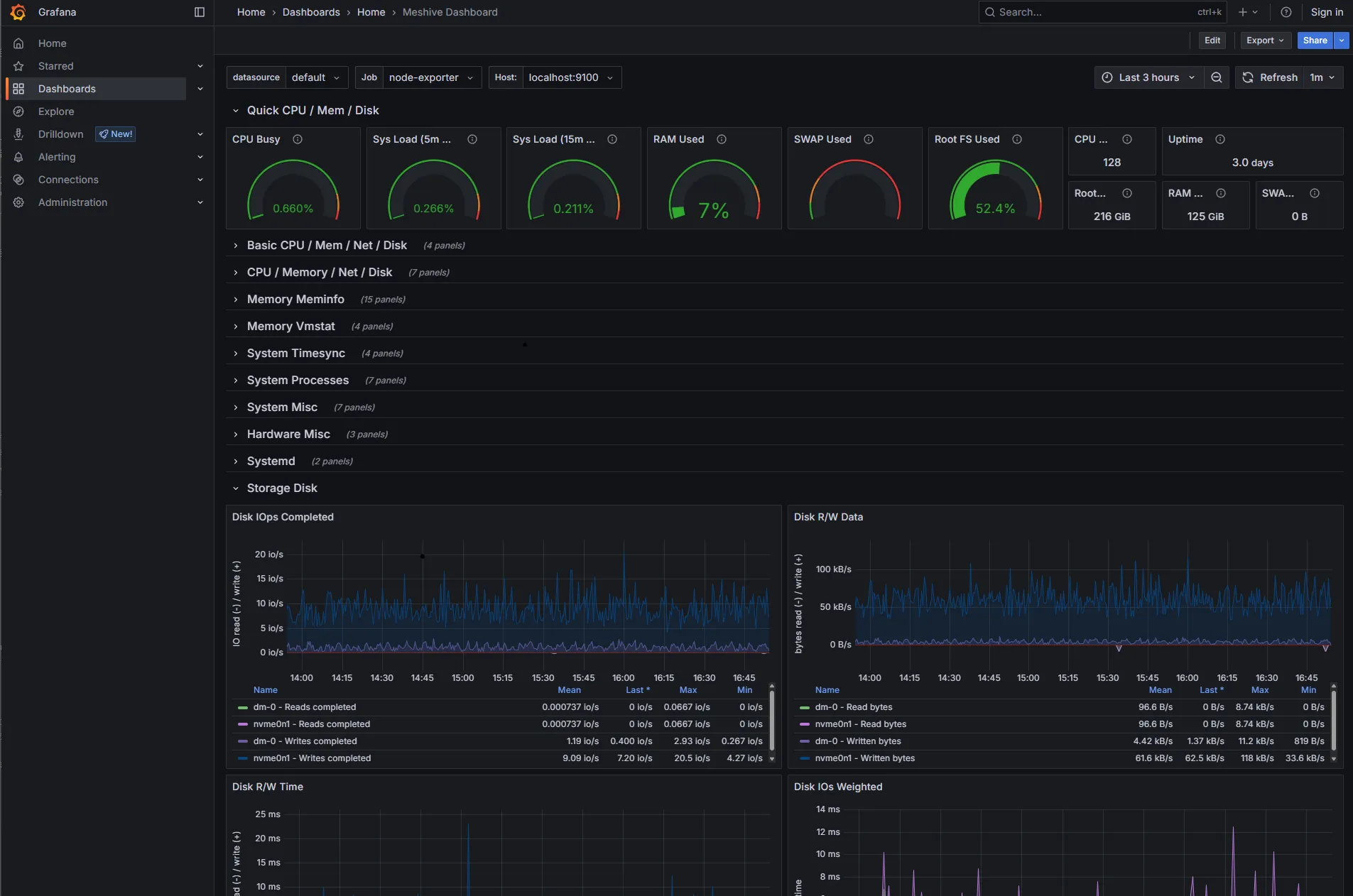
Inside Grafana you’ll find per-card GPU utilization, temperature, fan, memory, and power; system CPU/RAM/disk/network; and the live list of client pods scheduled on the machine.
The Monitoring tab is distinct from the Host dashboard at console.meshive.ai, which is where you manage listing, pricing, maintenance, and other operational controls.
SSH / IPMI tab
Section titled “SSH / IPMI tab”The SSH / IPMI tab carries a ready-to-paste ssh meshive-ssh@<host-ip> command and the matching password (rotated monthly), with a separate IPMI username/password pair below it. Copy the command into your terminal, paste the password when prompted, and you’re in. Same workflow for IPMI, against your machine’s IPMI web interface.
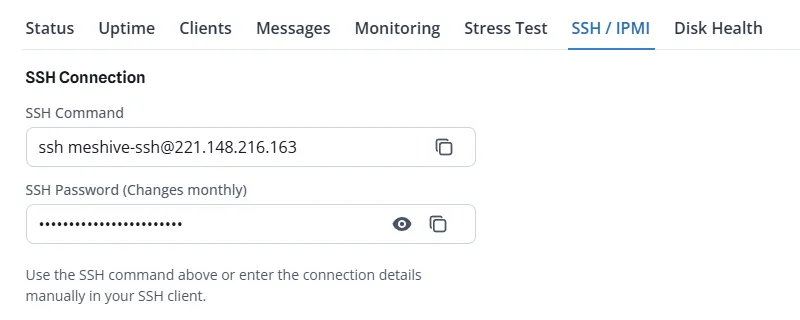
The browser-based SSH (Web SSH) option is intentionally not provided — go through a real terminal client so you have your own shell history, key forwarding, and clipboard semantics.
Credentials & rotation
Section titled “Credentials & rotation”Meshive treats every host machine as critical infrastructure, so credential hygiene is automated:
- SSH and IPMI passwords are rotated once a month, automatically. The new credentials are always visible in the same tab.
- Repeated failed login attempts trigger an automatic IP block. Don’t worry — blocked IPs lift on their own after the cooldown window, and the console always shows the current working credential.
If you prefer key-based SSH, register your own public key from the dashboard; Meshive will keep its own rotating password alongside it.